Before creating content, it is highly recommended to set up your Global Branding. This ensures that any “Stock” templates you use will automatically match your company’s colors and fonts.
Configuring Your Account
Energy Saving: Set a Blackout Schedule (e.g., 22:00 to 06:00) to automatically turn your screens black when your business is closed.
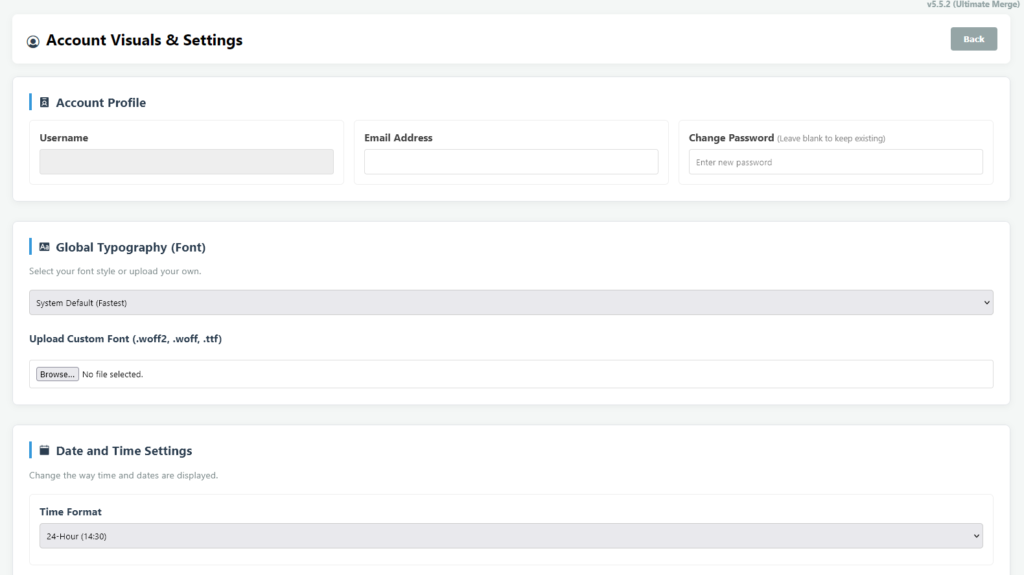
Navigate to the My Account menu in the bottom left corner and select Account Settings.
Typography & Formatting: Select your preferred time format (12h/24h) and date layout. You can also select a standard font or upload your own custom .woff2 or .ttf file.
Company Logo: Upload your logo and select which corner of the screen it should persistently hover over.
Branding Colors: Pick your brand’s primary Background, Text, and Accent colors.
Global Ticker: If you want a scrolling news feed at the bottom of your screens, enable the Ticker and input either custom text or an RSS feed URL (e.g., BBC News).