In Pilot, you don’t design every slide from scratch. Instead, you use Templates to define the layout (where the text and images go), and you create Posts to fill in the content (the actual words and photos).
Activating Templates from the Library
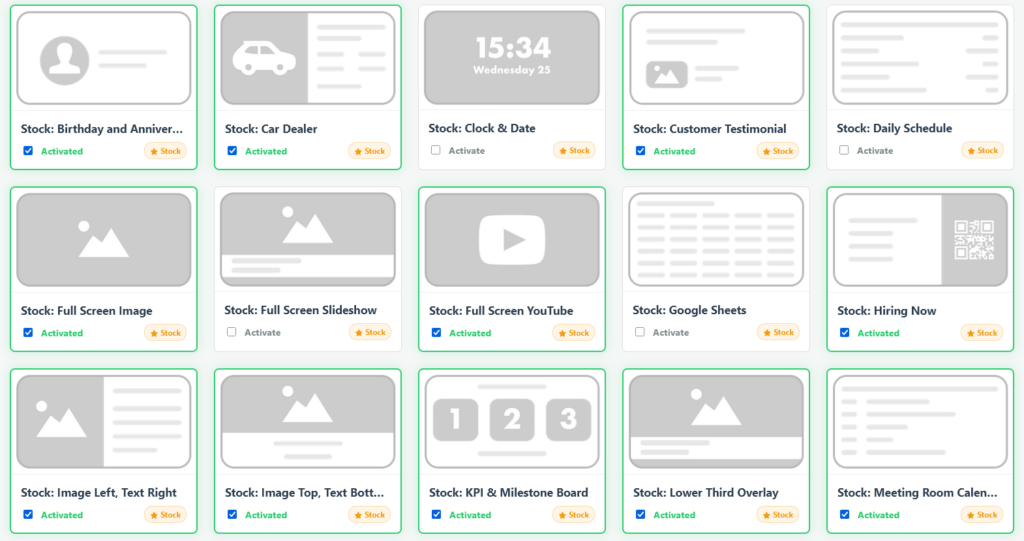
- Click + Library in the sidebar.
- Browse the available Stock Templates (marked with a gold star) or your Custom Templates.
- Check the box next to any template you want to use.
- Click on the “Save” button on the top right. This will add it to your main sidebar for easy access.
Building a Custom Template (Admins Only)
- Click New Template in the bottom menu.
- Give your template a name and a Default Duration (e.g., 15 seconds).
- Form Fields: Add the input boxes your team will need to fill out (e.g., “Main Title”, “Price”, “Background Image”).
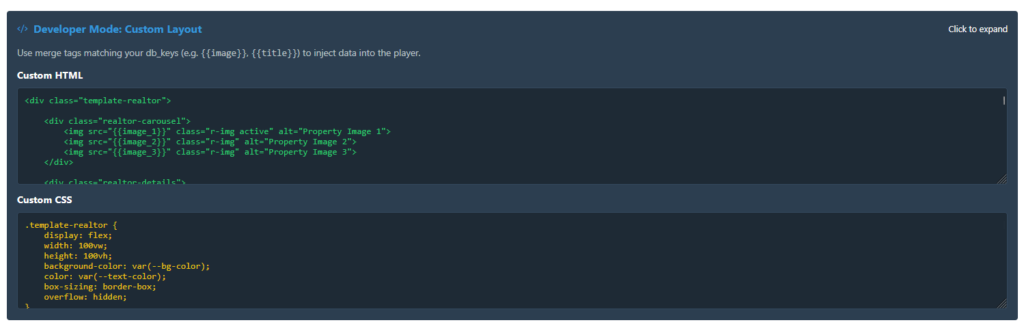
- Developer Mode: Expand the code section to write your custom HTML and CSS. Use merge tags like
{{main_title}}to inject the user’s input directly into your layout.